

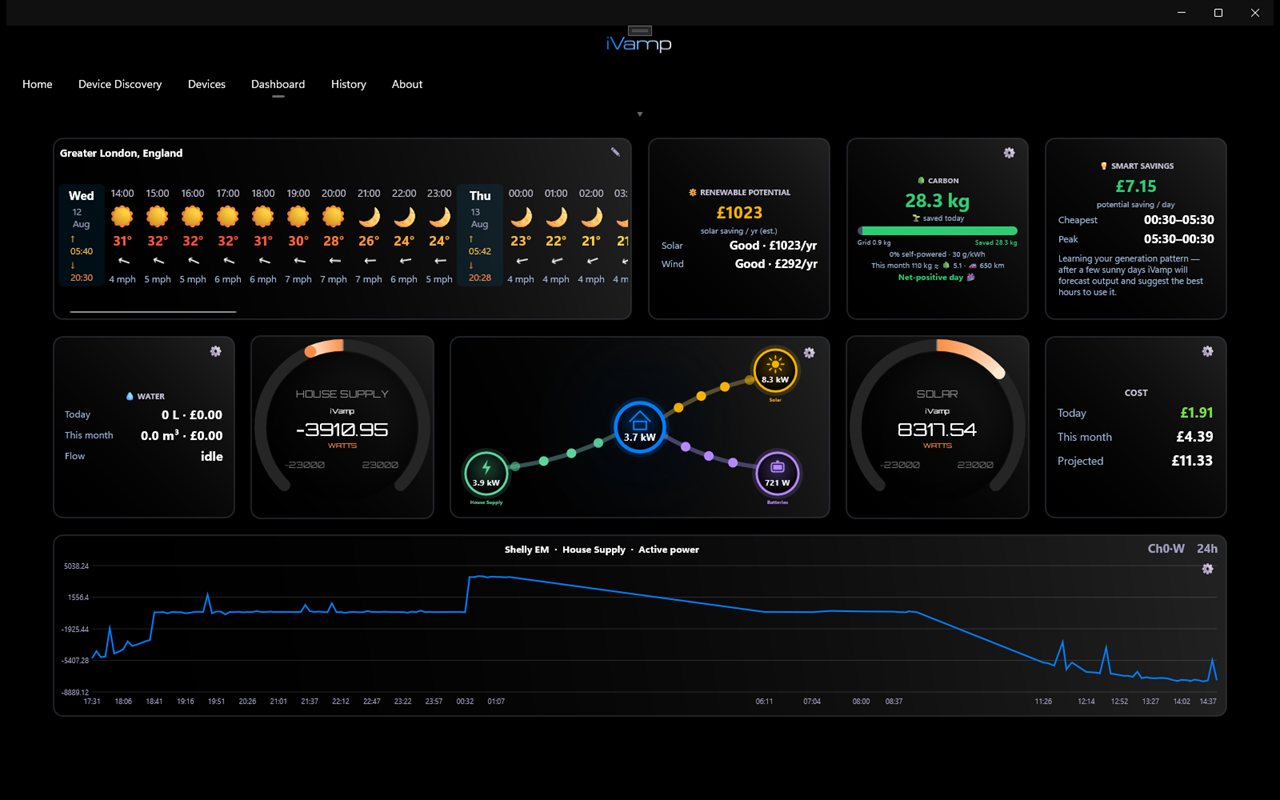
iVamp reads your electricity supply, inverters, batteries and energy meters directly over your home network and puts the whole picture on one screen: what's generating, what's charging, what the house is drawing and what it's costing. Works with Sigenergy and Fox ESS systems today, and the next release adds GivEnergy, Huawei, Sunsynk & Deye, SolarEdge, SMA, Fronius and Tesla - with circuit-by-circuit detail (and any make of EV charger) from Shelly meters. For Windows, Mac and iPhone - Android is coming soon.
iVamp works for homes with solar, homes without it, and the people who install it. Pick yours.
You need: a Sigenergy or Fox ESS system - or, from the next release, GivEnergy, Huawei, Sunsynk/Deye, SolarEdge, SMA, Fronius or a Tesla Powerwall 2/+. Nothing to buy or fit.
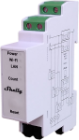
You need: a small Shelly energy meter, fitted in your fuse box (consumer unit) by a competent electrician.
You need: iVamp on your laptop, tablet or phone.
Free to download. Use it free with one device; iVamp Pro is a one-off purchase (£14.99 in the UK, priced locally in each app store), no subscription.
Energy meters for any circuit in your fuse box.
The whole system live: solar, battery, grid and home load, every Energy Controller and battery stack, LoadHub smart loads and Sigen's EV chargers (the AC charger from the next release).
The whole system live: solar, battery, grid and home load from H3, H3-Smart, H3-Pro, H1, EVO and KH hybrids.
Powerwall 2 and Powerwall+ read straight from the Tesla Gateway, and the Wall Connector Gen 3 read directly - no Tesla account. Powerwall 3? Add a Shelly meter.
Hybrid, AC-coupled and All in One systems with their batteries, read through the inverter's own Wi-Fi or LAN dongle.
SUN2000 inverters with the power meter and LUNA2000 battery, over the SDongle once your installer switches Modbus TCP on.
Single-phase hybrid inverters and their batteries, read through the Solarman Wi-Fi logger they already have.
Plus other SunSpec inverters (Kostal, GoodWe, Sungrow and more), with their meters and batteries where fitted.
Every brand is added the same way, so tell us what you have. Three-phase GivEnergy and Sunsynk/Deye models are on the list.
Suggest a brandAlways read-only: iVamp never changes your inverter or battery settings, and your system keeps talking to its maker's app as normal.
Unlike the Powerwall 2, the Powerwall 3 doesn't share its readings on your home network - Tesla only offers them through its cloud. iVamp keeps your data at home, so it monitors a Powerwall 3 with a small Shelly energy meter instead: a clamp round the Powerwall's AC cable shows exactly when it's charging and discharging, in the power flow, your costs and your history, alongside your solar, grid and the rest of the house.
You need: a Shelly EM or Pro EM with a clamp on the Powerwall 3's AC cable, fitted in your fuse box by a qualified electrician. In iVamp, set that clamp to Battery.
Good to know: the meter measures power, so you'll see charge and discharge but not the battery's percentage - the Tesla app still shows that.
Which meter do I need?Your charger's app shows the charger. iVamp shows it alongside your solar, battery and the rest of the house - when the car is charging, how much it has taken and what it cost at your tariff - whichever brand of charger you have. Keep the charger's app for controlling charging; use iVamp to see what it means for your home.
Some chargers iVamp reads directly, with no meter at all: Sigenergy's EV chargers (the AC charger from the next release) and, in the next release, the Tesla Wall Connector Gen 3.
EV charger monitoring →Download iVamp from the App Store, Mac App Store or Microsoft Store. No account to create.
iVamp searches your home network for your Shelly meters, inverters, batteries and chargers - or add a device by its IP address.
Give each device a role (solar, battery, grid, EV), lay out your dashboard, then follow iVamp's tips on the cheapest times to run things.
Real-time watts, volts and amps, with an animated power flow of grid, solar, battery, EV and house - updated every couple of seconds.
iVamp studies your half-hourly usage, spots your cheapest windows and shows what you'd save by shifting flexible loads. No expensive battery required.
Type in your rates and cheaper times, in your own currency, from any supplier anywhere. With Octopus Energy in the UK, link your account or match a bill and iVamp keeps the rates current - Agile, Go, Cosy and more, with the day and night times set for you.
Your spend and your CO₂ side by side, with your footprint shown as trees and miles not driven, and editable emission factors.
Gauges, tiles, charts, weather and power flow across as many pages as you like, with colour themes and today’s-totals cards. Name every circuit, and arrange it your way on a phone (portrait or landscape, pinch to zoom), laptop or wall screen.
Energy and cost trends per circuit over days, weeks and months, so you can see where the money goes.
Vendor-neutral by design, so new hardware drops in without switching apps.
Talks to your equipment directly, so it keeps working when the internet or the maker’s cloud is down. Your readings stay in your home; sharing with your installer is opt-in.
Reports, alerts and data that go straight to the people who need them - installers, landlords, facilities teams or you.
Run a monitoring session and iVamp builds a report with charts and min / max / average figures for every circuit. Export as PDF or CSV.
One tap packages a screenshot, a summary of every device and the last hour of readings, and emails it to your installer from your own email account.
Get told when a reading goes above or below a level you set - a circuit overloading, or the solar going quiet - by email and notification.
Installers and electricians can add their own logo, colours and client details for professional, client-ready reports.
Run iVamp on a laptop, a phone, or a wall-mounted display in an office, school or shared space, so everyone can see the energy being used.
Free to download. For Windows, Mac and iPhone. Android is coming soon.